
axis
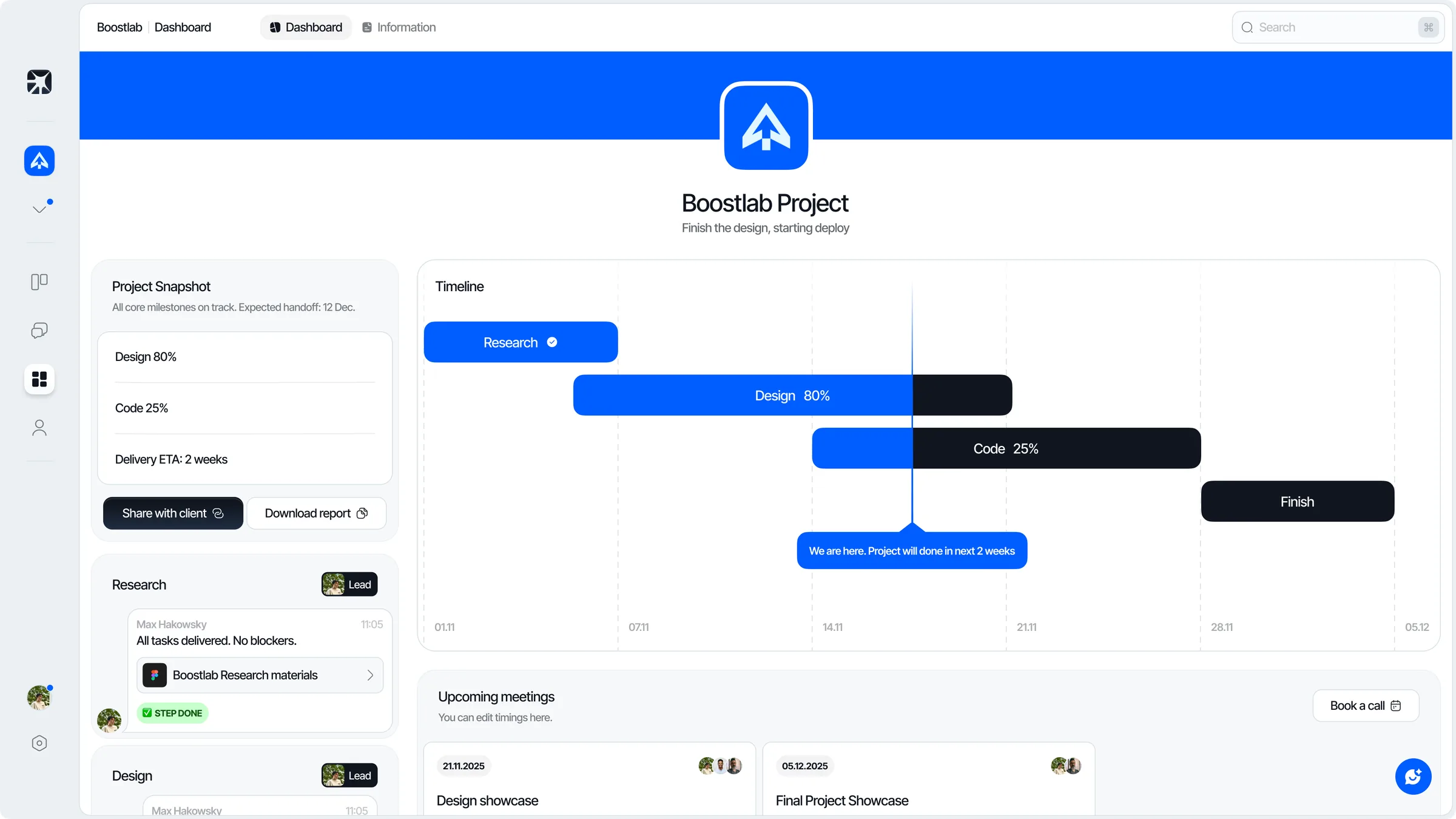
One workspace for the team doing the work and the client watching it.
- Product
- Project workspace for small studios
- Status
- Internal tool, in daily use at boostlab
- Surface
- Web
- My role
- Concept, product, structure, design, brand, development lead
Context
Axis started as an internal answer to a problem every small studio recognises. The work lived in a tracker, the thinking lived in chat, and the client lived in a weekly message that somebody had to assemble by hand. Three places, none of which agreed with each other.
A tracker built for engineers, used by a studio
General purpose trackers assume a team of one discipline shipping one kind of artefact. A studio does not work that way. A single project moves through research, design and code, each with its own rhythm, its own files and its own idea of what done means.
Forcing that into generic projects and tickets produces a board nobody trusts. The status is always slightly out of date, because keeping it accurate costs more attention than the update is worth.
The second problem sat outside the team entirely. Clients have a reasonable question - where is this - and answering it well took a person an hour every week. Answering it badly cost more than the hour.
One workspace, three audiences, no re-entry
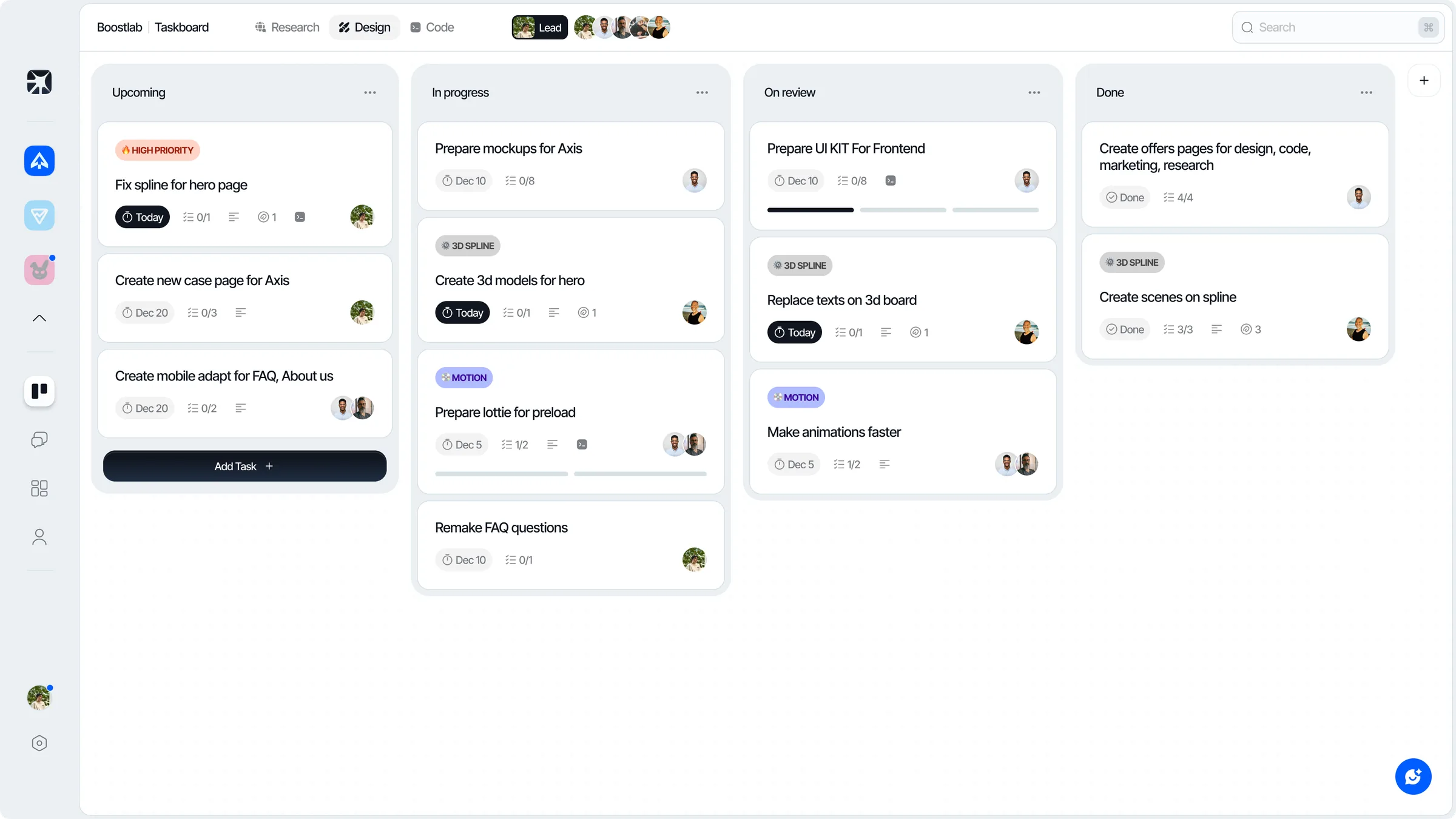
The structure follows how a studio project actually splits: research, design and code are first class, not tags on a generic ticket. A card carries the discipline it belongs to, its priority, its owner, its subtasks and its due date, so the board reads as work rather than as a database view.
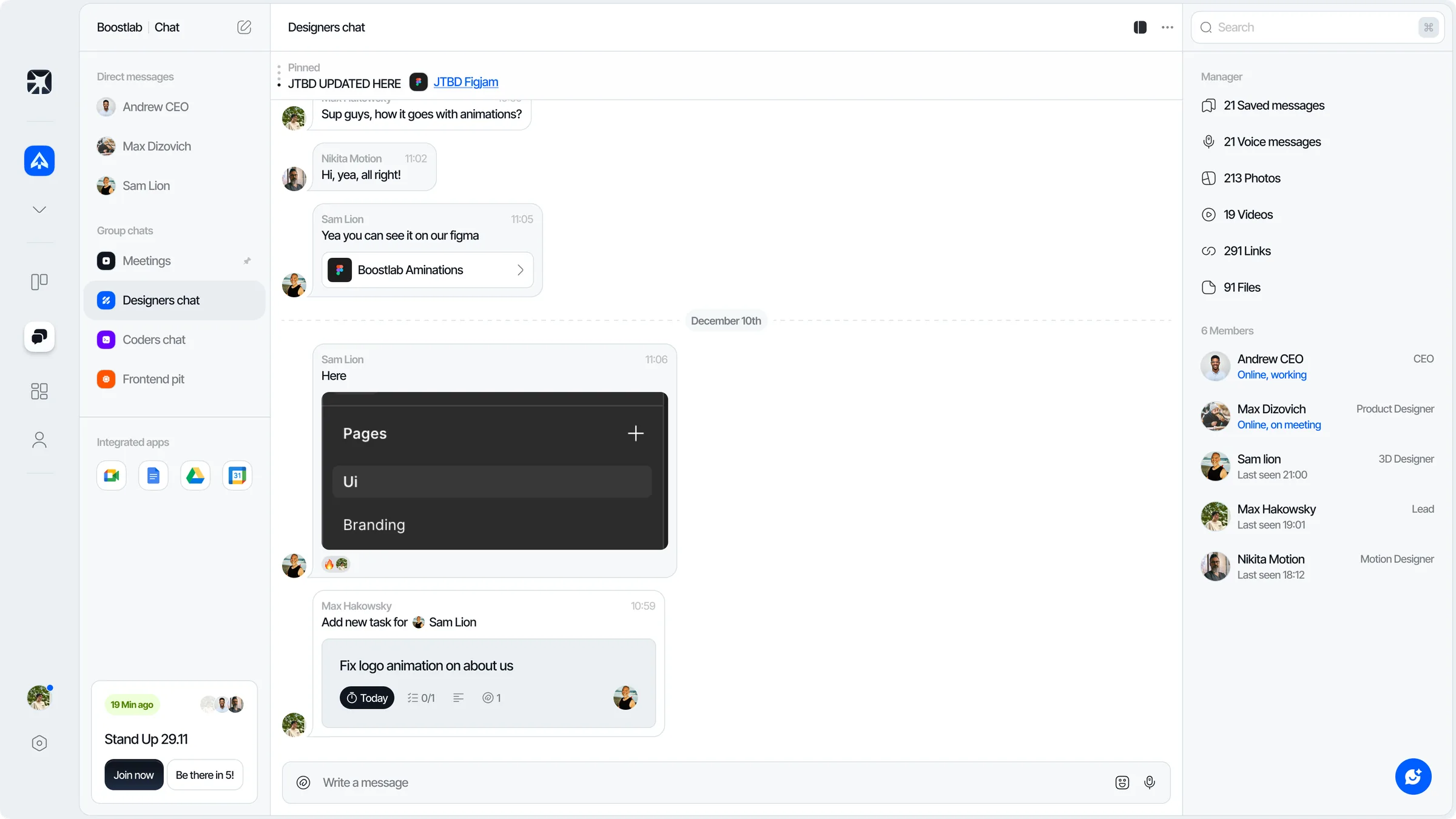
Conversation sits inside the same product rather than beside it. A message can become a task without leaving the thread, which is the moment where most decisions used to evaporate. The task keeps the discussion that produced it, the files it referenced and the person who asked.
The third surface is the one most trackers skip. A client dashboard presents the same underlying state as a timeline, a completion figure per discipline and a plain sentence about where the project stands - assembled automatically, not written by hand on a Friday.
My approach
Model the studio, not the ticket
Define research, design and code as real structure inside a project, so a card inherits its discipline instead of being labelled with one.
Close the gap between talking and tracking
Design task capture directly inside chat, and keep the source message, files and requester attached to the task it produced.
Give a task a readable summary
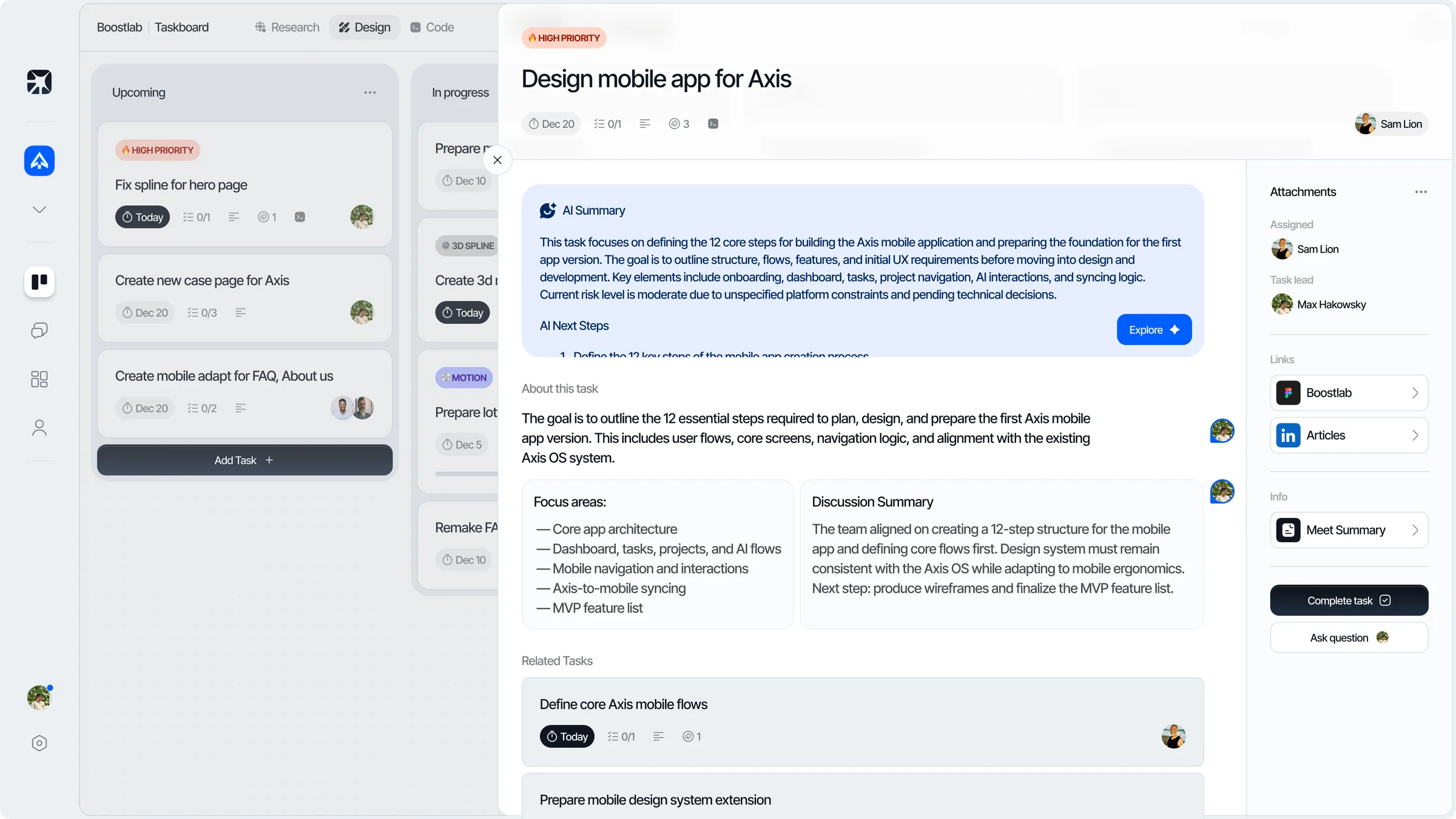
A task opens as a brief rather than a form: what it is for, the focus areas, where the discussion landed and what is related to it.
Derive the client view, never write it
Build the external dashboard from the same state the team already maintains, so keeping a client informed costs nothing extra.
Keep the surfaces one product
Share cards, avatars, status language and density across board, task, chat and dashboard so moving between them needs no relearning.
The status stopped being a separate job
The board, the conversation and the client report now read from one source, so the weekly assembly of a project update disappeared as a task. Progress is visible because it is a by-product of doing the work, not a second thing to maintain.
Axis is deliberately closed. It is not sold, and it does not carry the compromises a product picks up while trying to fit every team. That is what makes it useful as a test bed: the feedback loop between a design decision and living with it is a few days long.
Axis exists because of boostlab, and it is the closest thing I have to a controlled experiment in designing for outcomes, not screens - the behaviour, the change and the people living with it are all in one room. MontNoir is the other tool here built for professionals being asked to trust a system with their work.
- Research, design and code are structure, not labels
- A message becomes a task without losing its context
- The client view is derived from team state, not written by hand
- One visual system across board, task, chat and dashboard
Reflection
Building a tool for the team I work in removed the usual distance between a design decision and its consequence. Anything that looked clever but cost attention did not survive the second week.